
In an age where time is increasingly precious, the art of effective task management has become more significant than ever. Each day, professionals and individuals juggle numerous responsibilities, making it essential to adopt tools that optimize productivity. Among the myriad of available solutions, productivity apps stand out as vital allies in the quest for efficiency. However, with such a vast array of options on the market, how does one pinpoint the most suitable tool for their unique circumstances?
Understanding Your Needs
Prior to embarking on your search for the perfect productivity app, it is imperative to introspect and evaluate your specific requirements. Different apps cater to various aspects of task management, including:
- Task Lists: These apps, such as Todoist or Microsoft To Do, enable users to create, categorize, and prioritize daily tasks. Users can set deadlines, add notes, and track their progress, making it easier to stay on top of responsibilities.
- Time Tracking: Tools like Toggl or RescueTime focus on monitoring how you spend your hours throughout the day. They provide insightful analytics that can help identify time-wasting habits, ultimately allowing you to reclaim lost minutes.
- Collaboration Features: Essential for team projects, platforms like Trello or Asana facilitate communication and coordination among team members. Such apps enable shared task assignments, progress tracking, and instant messaging, promoting a seamless workflow.
Criteria for Selection
Upon clarifying your needs, the next step is to establish criteria for evaluating your options. Key features to consider during this selection process include:
- User Interface: An intuitive design is vital; users should feel comfortable navigating the app without unnecessary complexity. A clean layout can significantly enhance usability and reduce frustration.
- Integration: The best productivity apps play well with other tools you may already be using. For instance, integration with platforms like Google Calendar or Slack can enhance functionality and ensure a smooth workflow.
- Cost: While many productivity apps have free versions, you might encounter limits on features. It’s wise to determine if a premium subscription is justifiable based on the increased capabilities it offers.
By taking these considerations into account, you can systematically narrow down your choices. As you delve into the landscape of productivity apps, you might discover innovative solutions that not only enhance task management but also unlock newfound levels of personal and professional efficiency. Indeed, the right app could be a game-changer in your daily routine, propelling you toward a more organized and productive life.
DISCOVER MORE: Click here to find the best productivity apps
Identifying Key Features and Functionalities
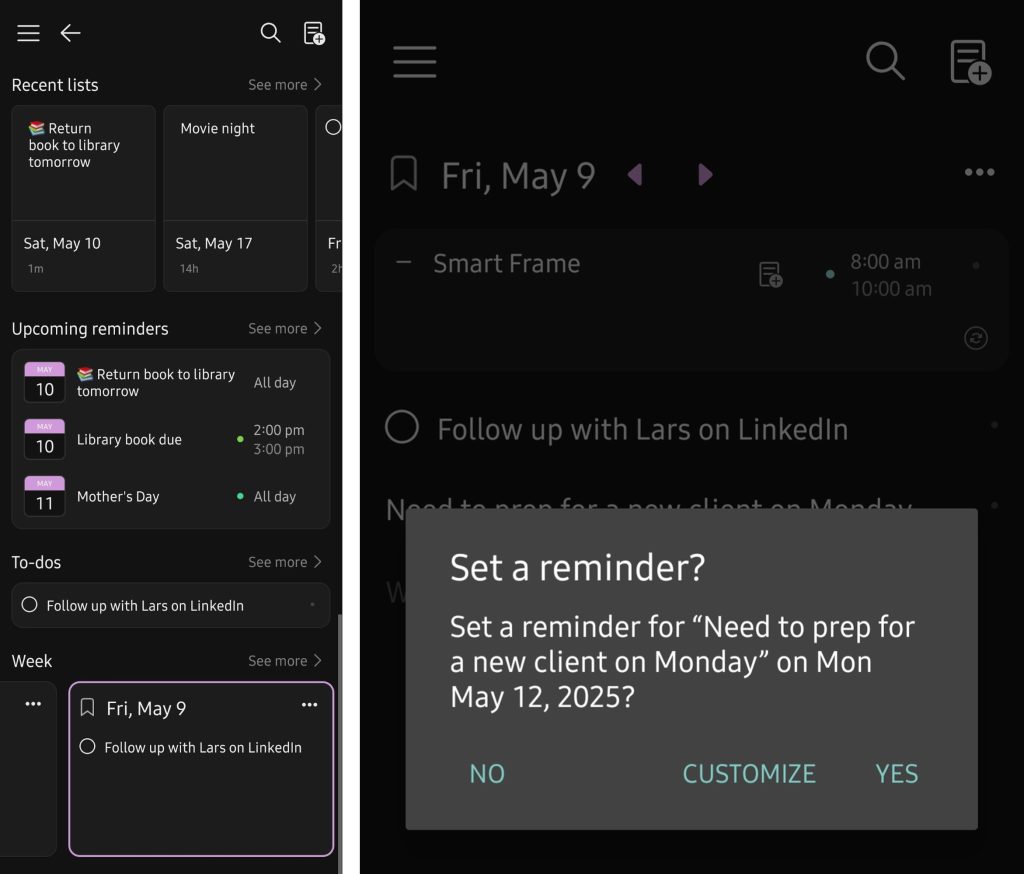
As you refine your understanding of your task management needs, the next step involves scrutinizing specific features and functionalities that each productivity app brings to the table. The landscape of productivity apps is teeming with options, and being able to distinguish the ones that align with your work habits and preferences is paramount. Here are several key features to look for:
- Customization Options: Every individual has a unique workflow. Look for apps that allow you to tailor task views, notifications, and categories to suit your style. Apps like Notion and ClickUp are known for their flexibility and can be shaped according to your particular requirements.
- Reminders and Notifications: Keeping track of deadlines is vital for maintaining productivity. A good app should provide customizable reminders through push notifications, emails, or even SMS. This proactive approach helps ensure that no task or appointment slips through the cracks.
- Analytics and Insights: Tracking your productivity trends can offer significant insights into your habits. Some apps, such as Todoist, provide data on your performance over time, helping you identify patterns and alter your approach accordingly.
- Accessibility: In today’s fast-paced environment, accessing your tasks on multiple devices is a necessity. Look for apps that offer seamless synchronization across platforms, enabling you to manage your tasks whether you’re at your desk or on the go.
These features can greatly enhance how you approach your daily to-do lists and long-term projects, making it easier to stay organized and efficient. Moreover, a more nuanced understanding of these functionalities helps you make informed comparisons between competing productivity apps.
Researching Popular Options
To embark on your quest for the ideal productivity app, consider delving into reviews and user testimonials. Websites like G2 and TechRadar offer comprehensive assessments and user ratings that can provide a clearer picture of how each app performs in real-world scenarios. Furthermore, YouTube is a treasure trove of video reviews and demonstrations, where you can see app features in action before committing to a download.
Additionally, joining online forums and communities—such as Reddit’s r/productivity—can offer firsthand experiences and advice from fellow individuals facing similar challenges in task management. Engaging with a community can reveal app nuances that may not have been evident in official descriptions.
Recognizing that the perfect app is contingent upon personal preference is also crucial. What works wonders for one user may not have the same effect for another. Therefore, take the time to shortlist a few candidates based on your needs and criteria, and don’t hesitate to engage in trial runs to determine which app resonates with you the most.
| Category | Key Features |
|---|---|
| Task Organization | Drag-and-drop functionality and color coding allow users to efficiently sort and prioritize tasks. |
| Time Management | Built-in timers and calendar integration help maintain focus and ensure deadlines are met. |
| Collaboration | Real-time sharing and commenting features facilitate teamwork and enhance communication. |
| Cross-Platform Compatibility | Synchronization across devices ensures your tasks are accessible anywhere, anytime. |
To effectively choose productivity apps, understanding key features is crucial. First, task organization emerges as an essential category; apps that facilitate drag-and-drop functionality and color coding provide visual clarity and prioritization options. Secondly, time management features, such as built-in timers and calendar integration, enhance focus and encourage adherence to deadlines. Furthermore, in an increasingly collaborative work environment, the ability to share tasks in real-time and enable commenting makes teamwork smoother and more efficient. Finally, opting for apps that offer synchronization across devices ensures that your productivity tools are always within reach, striking a balance between convenience and effectiveness. By focusing on these categories, users can enhance their personal effectiveness in task management and discover which apps best meet their unique productivity needs.
DISCOVER MORE: Click here to enhance your productivity
Evaluating User Experience and Interface
Once you’ve identified key features and done your research on popular options, the next critical aspect to consider is the user experience (UX) and interface design of the productivity apps you’re contemplating. After all, an app that is visually overwhelming or complicated to navigate can hinder rather than help your task management. Here’s how to evaluate the user experience:
- Intuitive Navigation: A user-friendly interface should allow you to find and manage your tasks with minimal effort. Look for apps that utilize clear menus, search functions, and logical categorization, letting you focus on your tasks rather than figuring out how to use the app. Popular picks like Trello and Asana exemplify intuitive design, making task setup straightforward.
- Visual Appeal and Aesthetics: A visually appealing interface can enhance your motivation to use the app regularly. Bright colors, modern typography, and engaging graphics can make a big difference in your overall experience. Apps that prioritize aesthetics, such as Todoist and Any.do, can transform mundane task management into a more enjoyable activity.
- Onboarding Process: A smooth onboarding process can significantly impact your initial experience with an app. Look for apps that offer a guided tutorial upon first use. This feature can be invaluable in helping you quickly grasp how to leverage the app’s functionalities effectively, reducing frustration from the outset.
- Mobile vs. Desktop Experience: As many users juggle between devices, it is crucial to ensure that the user experience is consistent whether you’re on a smartphone or a desktop. Check for cross-device compatibility and how well functionality is maintained across different platforms. Applications like Microsoft To Do shine in this regard, ensuring a seamless experience no matter where you access your tasks.
By assessing these aspects thoroughly, you can determine whether an app will genuinely enhance your personal effectiveness in task management or just add another layer of complexity to your day.
Trial Periods and Free Versions
In your pursuit of the perfect productivity app, don’t overlook the importance of trial periods and free versions. Many applications offer a free tier or a trial period, allowing you to experiment with their features before making a financial commitment. Here’s why using these trial options is beneficial:
- Hands-On Experience: The most effective way to gauge whether an app fits your needs is to use it in real-time. Take advantage of free trials to explore if the app aligns with your workflow, ensures ease of use, and offers engagement without overwhelming you.
- Exploring Advanced Features: Some productivity apps offer premium features that are locked behind a paywall. A trial will help you understand if these additional functionalities—like advanced analytics or enhanced collaboration tools—are something you truly need.
- Community Feedback: If you choose to participate in trial periods, consider sharing your experiences on user forums or social media. Your insights can help others in their search for the best productivity apps, and they can also provide you with additional perspectives on different applications.
Ultimately, trialing products not only serves your immediate needs but also assists in building a community of users who can share invaluable tips and advice.
Finding the right productivity app involves a blend of discerning how features match your workflow, assessing user experience, and engaging with options available for trial. Embrace the exploration phase and remain open to discovering new tools that might redefine your approach to personal effectiveness in task management.
DISCOVER MORE: Click here to learn how to boost your productivity
Conclusion
In the quest to enhance personal effectiveness in task management, choosing the right productivity app is paramount. A careful evaluation of key features tailored to your unique workflow, combined with a thoughtful assessment of the user experience and interface design, sets the foundation for effective task management. Remember that not all productivity apps are created equal; your choice should reflect both your organizational needs and personal preferences.
Utilizing trial periods and exploring free versions can provide insights into apps that may transform your daily routine. This hands-on approach allows you to assess functionality, interface, and usability without the burden of a financial commitment. Additionally, feedback from community forums and online conversations can shed light on apps that might best meet your needs.
With a myriad of options available, the journey of finding the ideal productivity app should be seen as an opportunity for growth and exploration. As you navigate through different tools, stay open to adapting your strategies and discovering systems that can truly revolutionize your task management experience. In doing so, you will not only foster greater productivity but also cultivate habits that lead to lasting personal and professional success. Your ideal productivity companion is out there waiting—don’t hesitate to hunt it down!